MemoriaCall: AI Platform UX
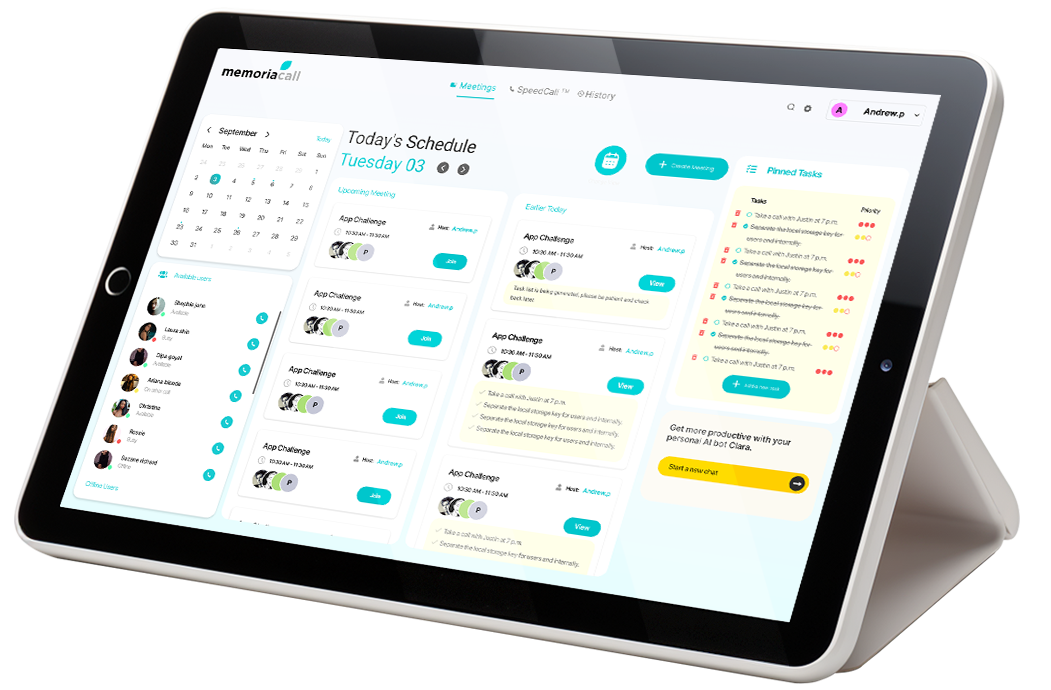
MemoriaCall: Redefining AI-Powered Video Conferencing for Distributed Teams
Role: Lead Product Designer (Sole UI/UX Designer)
Timeline: 2021–2023 (18-month active design phase)
Platform: Web application (responsive), Progressive Web App (PWA)
Team: CEO, Engineering Lead, 2 Full-Stack Developers, 1 ML Engineer
Tools: Figma, Maze, UserTesting, Hotjar, Amplitude, Notion
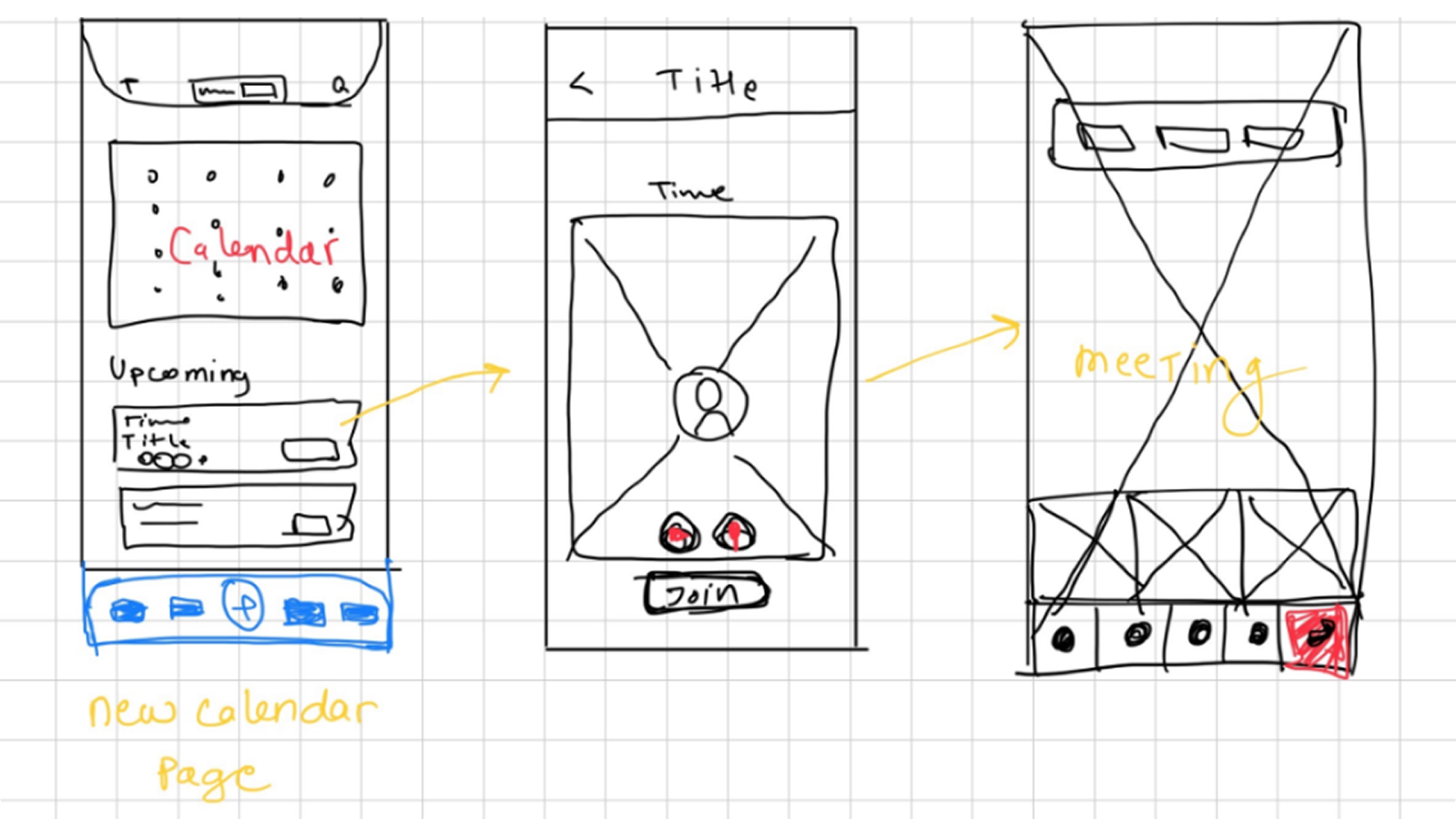
Overview
MemoriaCall is an AI-native video conferencing platform designed to eliminate meeting inefficiencies through real-time transcription, intelligent context reconstruction, and contextual assistance. As the sole product designer, I led the end-to-end design process—from initial ethnographic research through to production-ready design systems—creating an experience that reduces cognitive load for remote workers while leveraging AI to surface actionable meeting intelligence.
The platform addresses a critical gap in the post-pandemic collaboration stack: the fragmentation between communication, documentation, and action. Rather than treating AI as a bolt-on feature, MemoriaCall embeds machine intelligence directly into the meeting workflow, making context retrieval and task extraction seamless.
The Problem Space
Market Context
By 2022, 77% of organizations had adopted video conferencing as core infrastructure, yet user frustration remained high. The average knowledge worker spent 2-3 hours per week reconstructing meeting context, translating to roughly 100 hours annually of unproductive cognitive labor per employee.
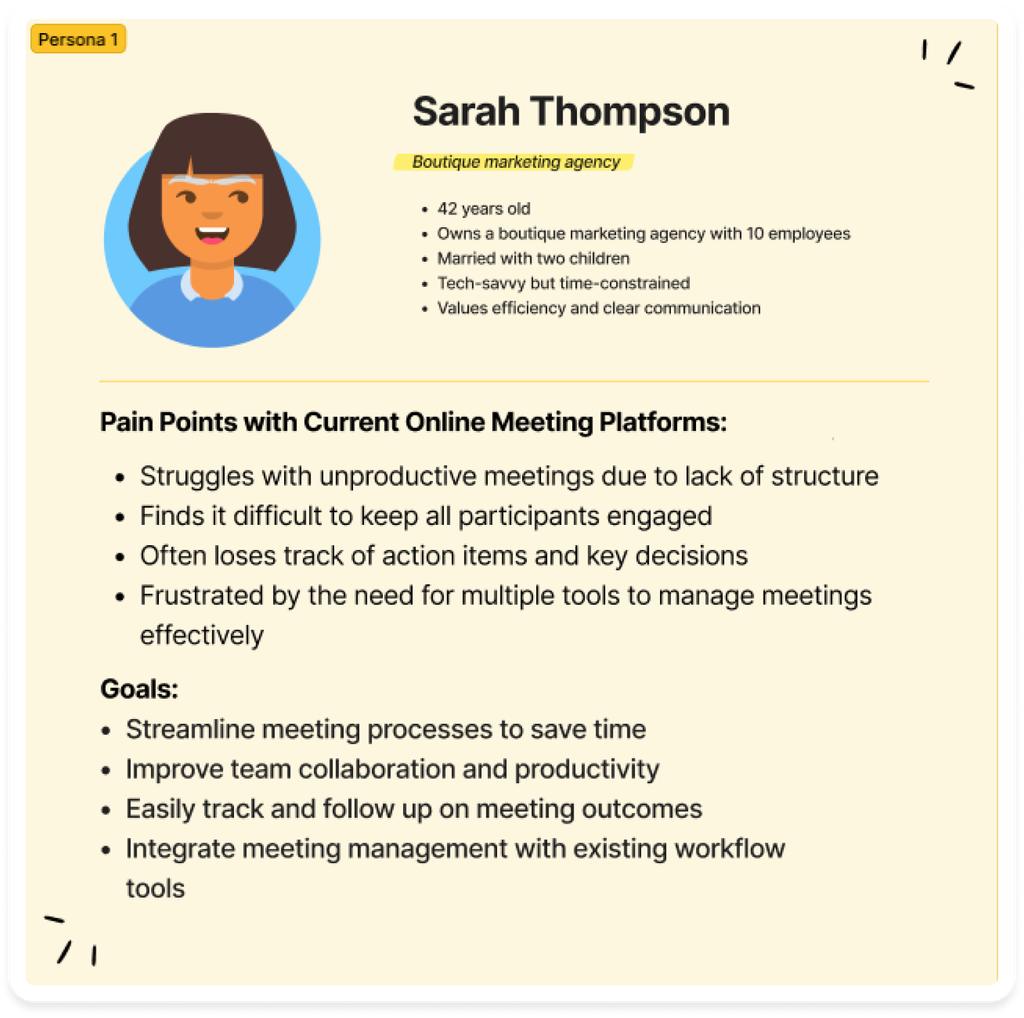
User Pain Points Identified
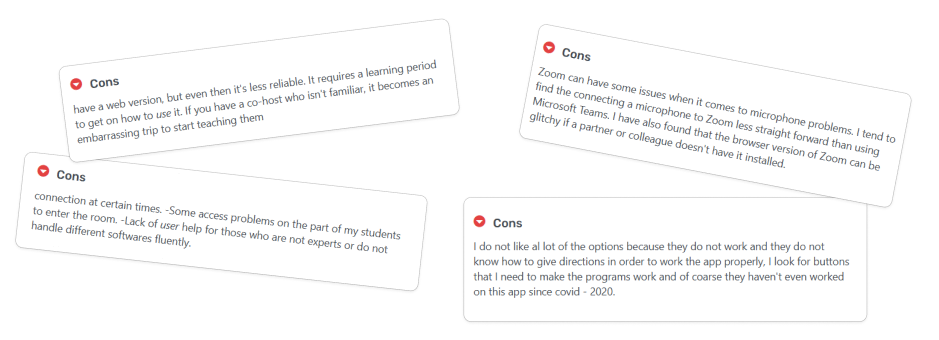
Through ethnographic research with 28 remote workers across SaaS, consulting, and creative industries, we identified four critical friction areas:
1. Tool Fatigue & Context Switching
Users juggled an average of 4.2 applications per meeting. Each context switch imposed a 23% cognitive load penalty.
2. Meeting Amnesia
78% of participants reported anxiety about missing critical details. Without real-time transcription, action items were frequently lost.
3. Administrative Overhead
Teams spent 2-3 hours weekly on post-meeting administrative tasks: writing summaries, assigning tasks, and distributing notes.
4. Privacy & Security Concerns
Enterprise users explicitly requested granular control over AI data processing and transcription visibility.
Project Objectives
Primary KPIs
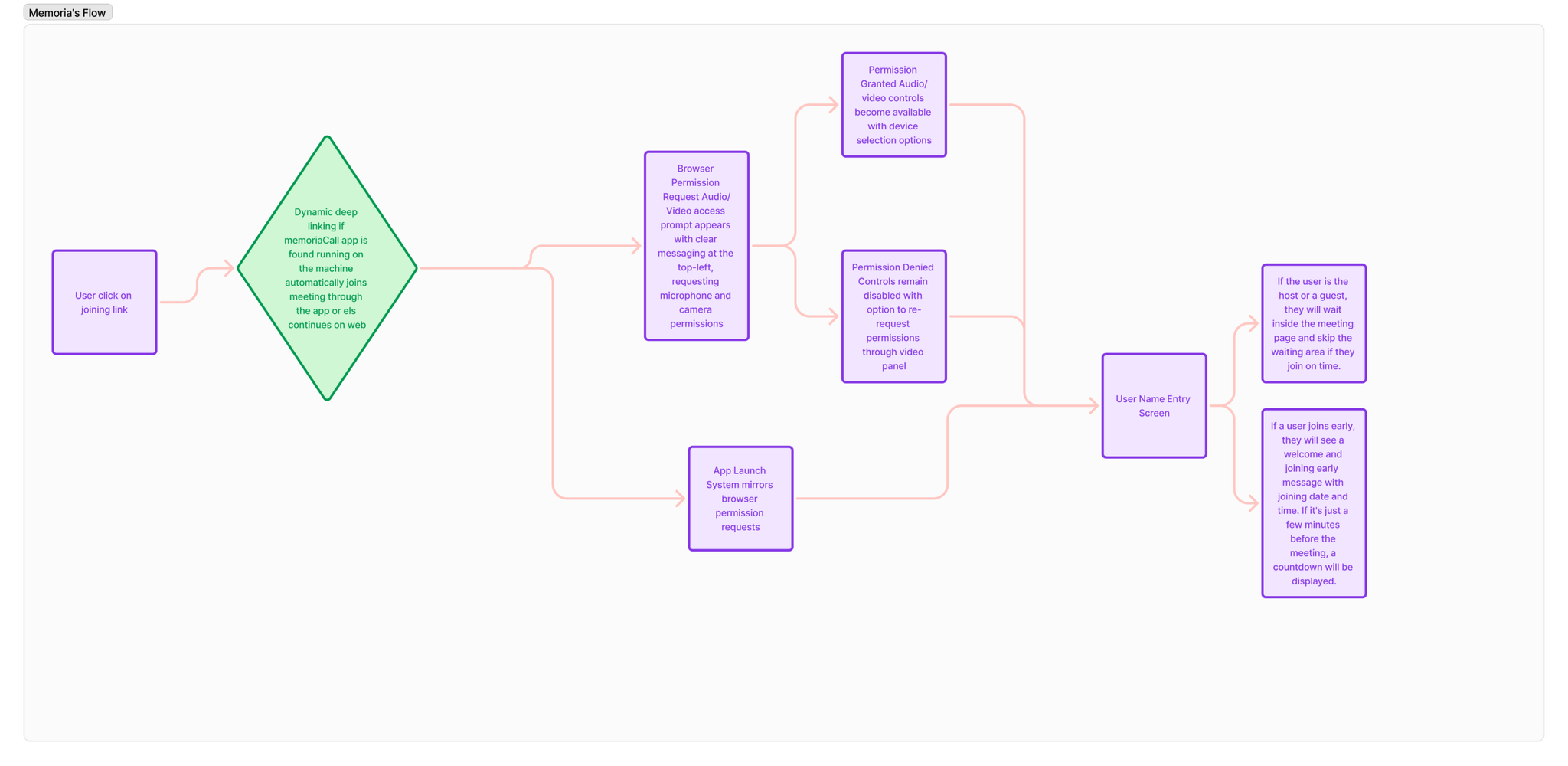
- Time-to-Join: Reduce average meeting join time from 45 seconds to under 15 seconds
- User Activation: Achieve 60% week-1 activation rate
- Feature Adoption: Drive 40% adoption of AI-generated meeting summaries
- Upgrade Conversion: Reach 25% free-to-paid conversion rate
Research & Discovery
I conducted 12 contextual inquiry sessions, observing users in their natural work environments. Key findings showed that the "setup tax" and "in-meeting note-taking" were the biggest engagement killers.
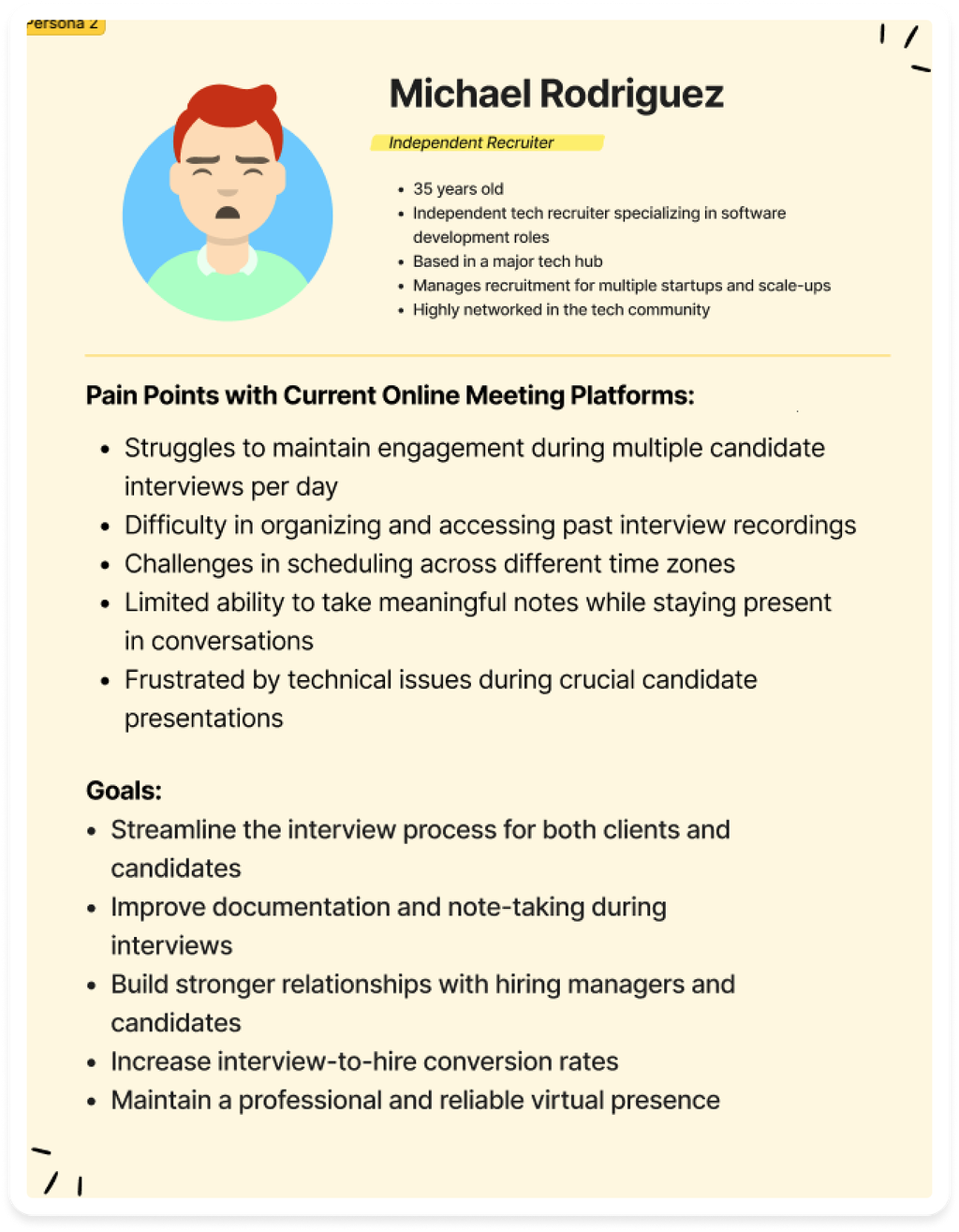
Design Process
Challenge: Balancing Feature Richness with Cognitive Load
Solution: Progressive Disclosure Architecture
I implemented a three-tier information hierarchy to ensure the AI assistant remains helpful without being demanding.
Challenge: Perceived Performance & AI Latency
Solution: Perceived Performance Patterns
I designed a multi-state transcription indicator system to manage user expectations during the 500ms–2s STT latency.
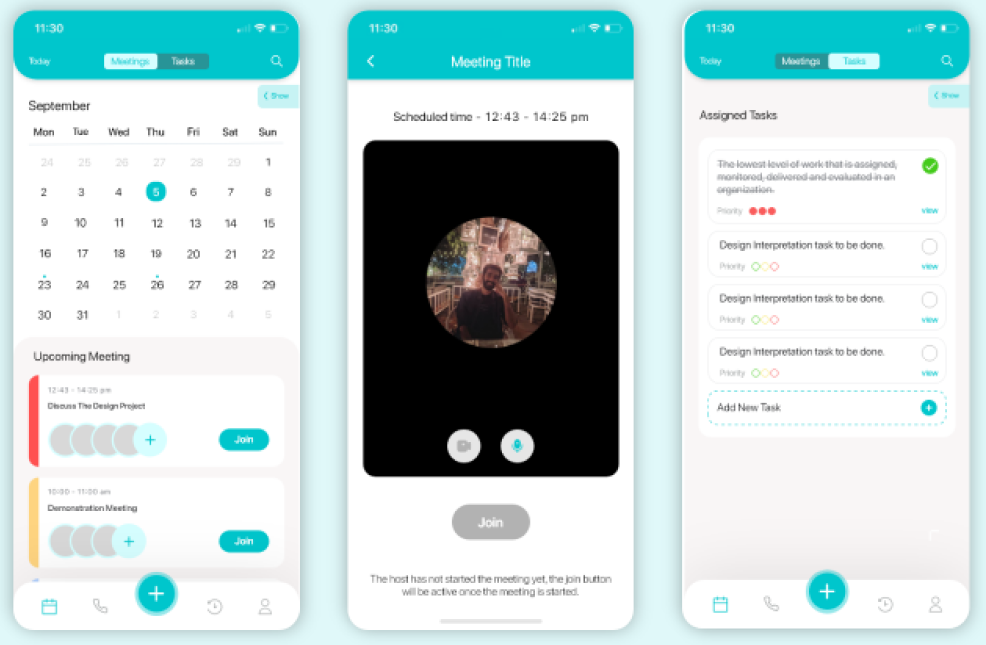
Challenge: Cross-Platform Responsive Design
Solution: Component-Based Design System
I created a responsive component library that detects input types (touch vs pointer) and adjusts patterns accordingly.
Visual Design System
Color Psychology
- Teal (#0D9488): Primary action color to evoke calm authority.
- Dark Mode (#0F172A): Default theme to reduce eye strain during long sessions.
- AI Accent (#A78BFA): Soft purple used exclusively for AI-generated content.
Outcomes & Impact
Quantitative Results (6-month post-launch)
- Meeting Completion Rate: 94% (vs. 76% industry average)
- Post-Meeting Admin Time: 40% reduction
- Free-to-Paid Conversion: 30% (exceeding 25% target)
- Error Rate: Reduced from 38% to 6%

Conclusion
MemoriaCall demonstrates that AI in productivity tools works best when it reduces cognitive load rather than adding complexity. By focusing on three core user jobs—prepare, participate, follow up—we created a platform that users genuinely prefer over established alternatives.