What Apple WWDC 2026 Means for UX Designers
Apple refines its design language, doubling down on performance and polish—here's what UX designers should take away.
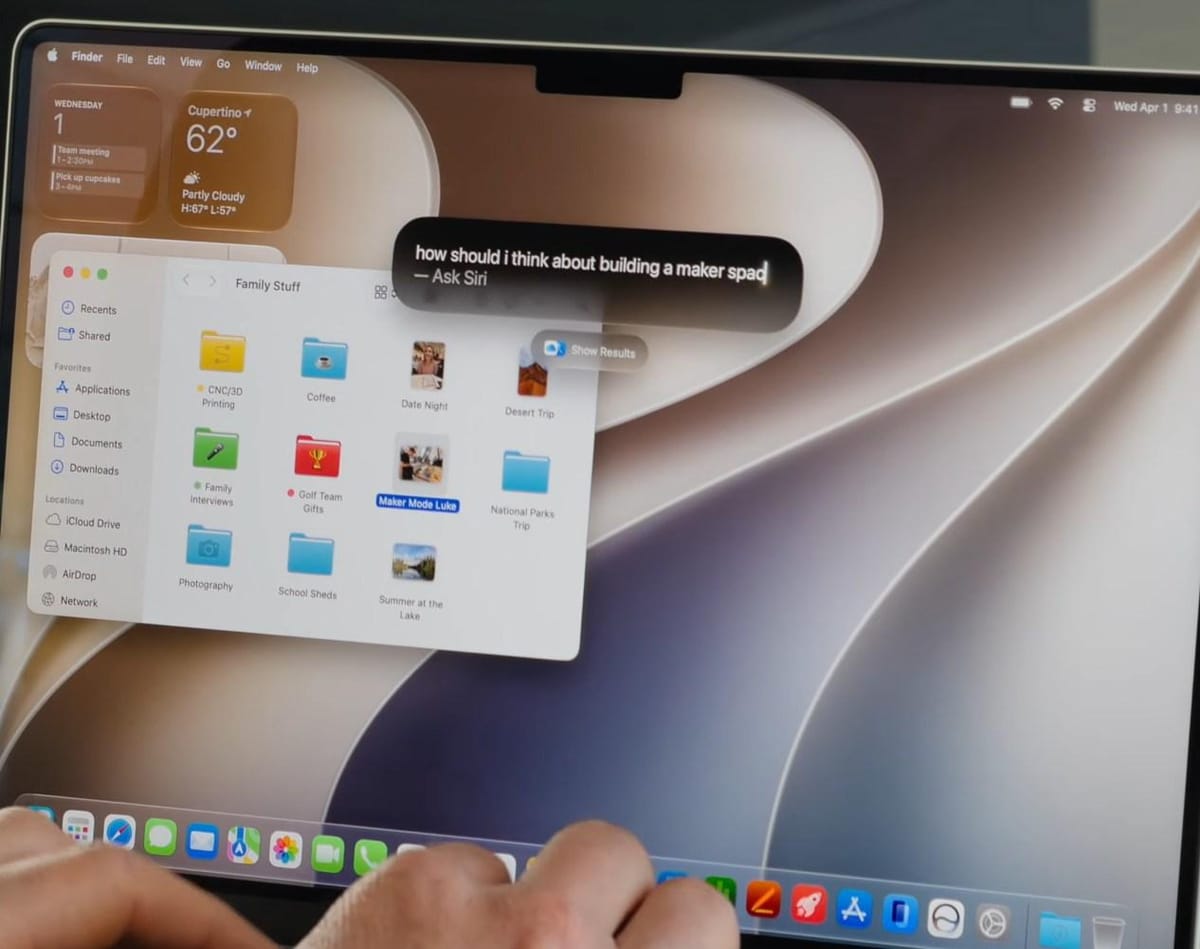
I watched Apple's WWDC so you don't have to. Here's what every UX designer needs to know.
Apple has dialed back the grand redesign hype. The much‑talked‑about Liquid Glass design language has been softened, an opacity slider added, and the overall aesthetic feels more restrained. The takeaway is clear: Apple is refining, not reinventing.
Focus on Performance, Stability, and Polish
Rather than sweeping visual overhauls, the emphasis is on speed and consistency. As a designer, this means you should double‑down on native system guidelines, ensuring your components are performant and fit seamlessly into the existing ecosystem.
Siri 2.0 – Conversational Interfaces Inside the OS
Apple introduced Siri 2.0, still in beta, but it's a system‑level conversational interface rather than a standalone chatbot. Designing for this future involves:
- Integrating subtly with native UI patterns.
- Prioritising context‑aware prompts.
- Avoiding intrusive overlays.
Practical Direction
- Master the current Apple design system; the foundations are being solidified now.
- Prepare for deeper AI integration—prototype voice‑first interactions within existing app shells.
- Keep designs lightweight; performance gains will be the biggest win.